
Plan Ahead: September 8–9 — Online and mobile banking move to view-only for a short window as we finish our Digital Banking upgrade. Learn More

ACH Management

All your ACH payments managed in one place.

ACH Management

Streamlined ACH for your business's efficiency

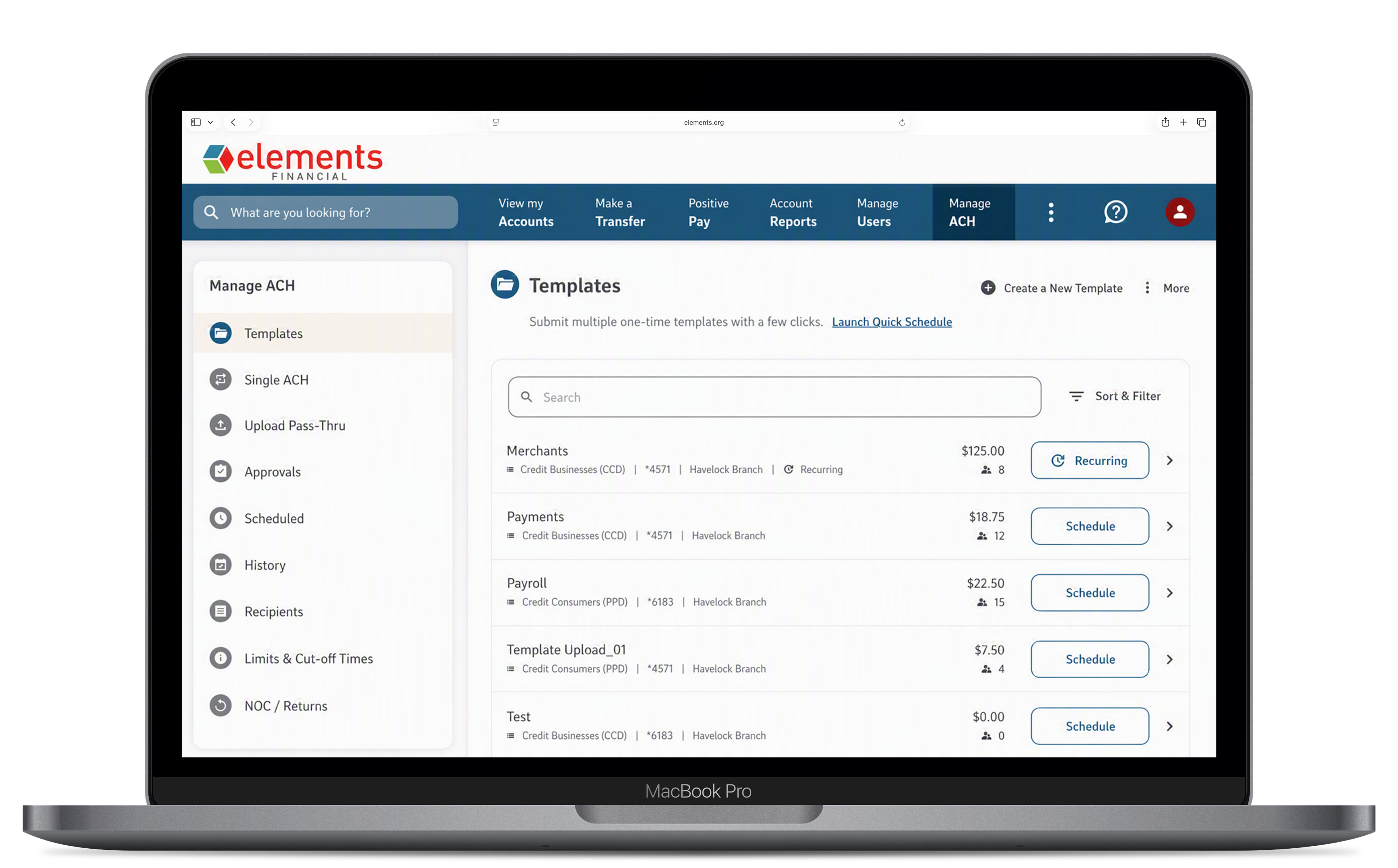
Business Digital Banking gives you a complete ACH hub to originate payments, manage returns, and stay on top of change notifications — without logging into a separate system. A built-in routing number directory makes it easy to verify beneficiary account details before you send. 

Key Features

  • ACH Origination — Initiate single-entry or recurring ACH transactions directly in Business Digital Banking — payroll, vendor payments, and collections. 
  • Routing Number Directory — Look up and validate routing numbers for receiving institutions before submitting an ACH transaction to reduce errors and returns. 
  • Notification of Change (NOC) Management — Receive and review NOCs from receiving banks directly in Business Digital Banking — convenient and quick access to update account and routing information. 
  • Return Management — View ACH returns in one centralized location. 
  • ACH Stop Payments — Block specific ACH debits from posting to your account (available as a sub-user permission for authorized team members). 
  • Full Transaction History — Search and filter past ACH activity by date, amount, payee, or SEC code for easy reconciliation. 

What types of ACH transactions can I originate?

Business Digital Banking supports common ACH SEC codes used by businesses, including PPD (personal payments, payroll), CCD (business-to-business), and others. For specific origination limits and available SEC codes, contact your Treasury Management Officer. 

What is a Notification of Change (NOC)?

A Notification of Change (NOC) is a message sent by a receiving bank to inform you that the account number or routing number for a recipient has changed. Previously, these were handled by paper or separate banking portals. Now, NOCs appear directly in your Business Digital Banking ACH center so you can update your records quickly. 

What happens when an ACH transaction is returned?

Returned ACH items appear in your Returns center with a reason code explaining why the transaction was returned (e.g., incorrect account number, insufficient funds, account closed). You can review the reason and decide next steps — including correcting information and resubmitting or stopping future attempts. 

How do ACH stop payments work?

The account administrator can place an ACH stop payment on specific transactions or originators. This permission can also be granted to authorized sub-users. ACH stop payments prevent matching debits from posting to your account. 

Are there ACH origination limits?

ACH origination limits are set per account based on your business's relationship with Elements. Contact your Elements Treasury Management Officer to discuss your current limits or to request a limit review.