
Plan Ahead: September 8–9 — Online and mobile banking move to view-only for a short window as we finish our Digital Banking upgrade. Learn More

Wire Transfers

Send Wires faster and track them in real time.

Wire Transfers

Flexible, secure Wire Transfers for your business

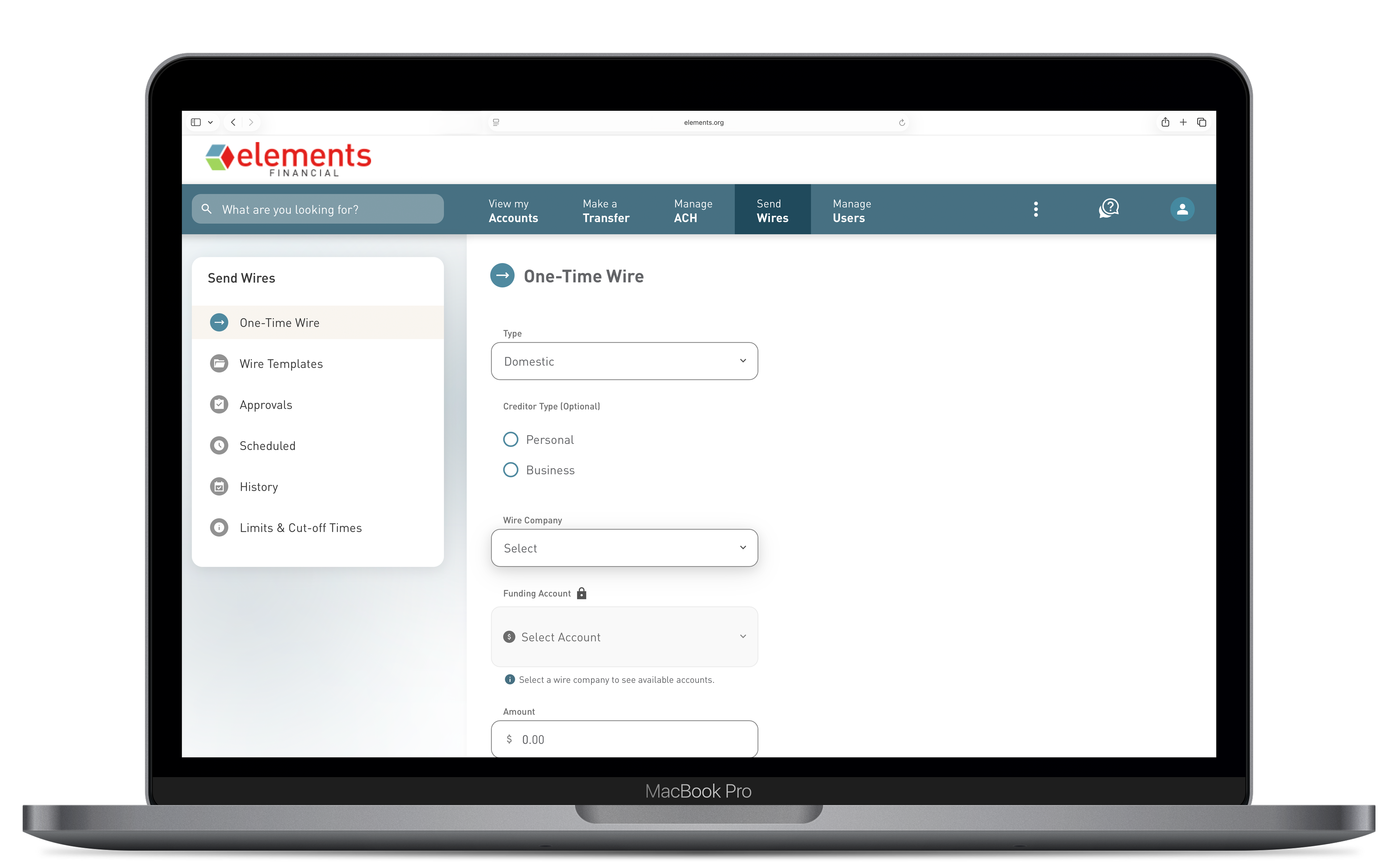
Wire Transfers in the upgraded Business Digital Banking let you send domestic wires on your schedule — one at a time or using saved templates for vendors you pay regularly. Enter beneficiary details, validate routing numbers, attach supporting documents, and track your wire's status from submission to completion. 

Key Features

  • One-Time Wires — Enter the beneficiary and payment details for a single, non-recurring wire transfer. Details are not saved after submission. 
  • Wire Templates — Save beneficiary information as a reusable template for vendors or counterparties you pay regularly. Edit or delete templates at any time. 
  • Scheduled Wires — Use templates to schedule a wire for a future delivery date. Set it now and let it process automatically. 
  • Routing Number Validation — Beneficiary financial institution routing numbers are validated at entry to help prevent submission errors. 
  • File Attachments — Attach supporting documents — such as invoices or contracts — to a wire submission for internal record-keeping. 
  • Real-Time Status Tracking — Track every wire's status through its full lifecycle: In Process, Processed, Under Review, Returned, FI Rejected, Canceled, and more. 
  • Wire History — View all submitted wires and filter by status, date, or amount for easy reconciliation. 

What is the difference between a one-time wire and a wire template?

A one-time wire is a single transaction — you enter all beneficiary and payment details manually, and they are not saved when the wire is submitted. A wire template saves the beneficiary's information (name, account number, financial institution, wire instructions) so you can reuse it for future payments without re-entering details. 

Can I schedule a wire for a future date?

Yes. Using a saved wire template, you can specify a 'Deliver By' date to schedule the wire for future processing. One-time wires cannot be scheduled — they are processed as soon as they are submitted and approved. 

How do I know if my wire was sent successfully?

After submitting a wire, it appears in Wire History with a real-time status. 'In Process' means it has been submitted and is being reviewed. 'Processed' means the wire has been sent. If a wire is rejected or returned, the status will update accordingly, and you can review the reason in Wire History. 

What are typical wire cutoff times?

Wire cutoff times vary based on wire type and destination. For current cutoff times, contact Member Service at (800) 621-2105 or speak with your Treasury Management Officer. Wires submitted after the daily cutoff will be processed the following business day. 

Can I cancel a wire after it is submitted?

You may be able to cancel a wire while it is in 'In Process' or 'Under Review' status. Once a wire has been transmitted to the receiving financial institution, cancellation may not be possible. Contact Member Service immediately at (800) 621-2105 if you need to attempt a wire recall. 

Is there a limit on wire amounts?

Wire limits are set per account based on your business's relationship with Elements. Contact your Treasury Management Officer to confirm your current wire limits or to request a limit increase.