




Plan Ahead: September 8–9 — Online and mobile banking move to view-only for a short window as we finish our Digital Banking upgrade. Learn More

Business Digital Banking

Your business accounts, payments, and team controls — all in one place, from any device.

Business Digital Banking

Everything your business needs in one platform. // Coming September 9

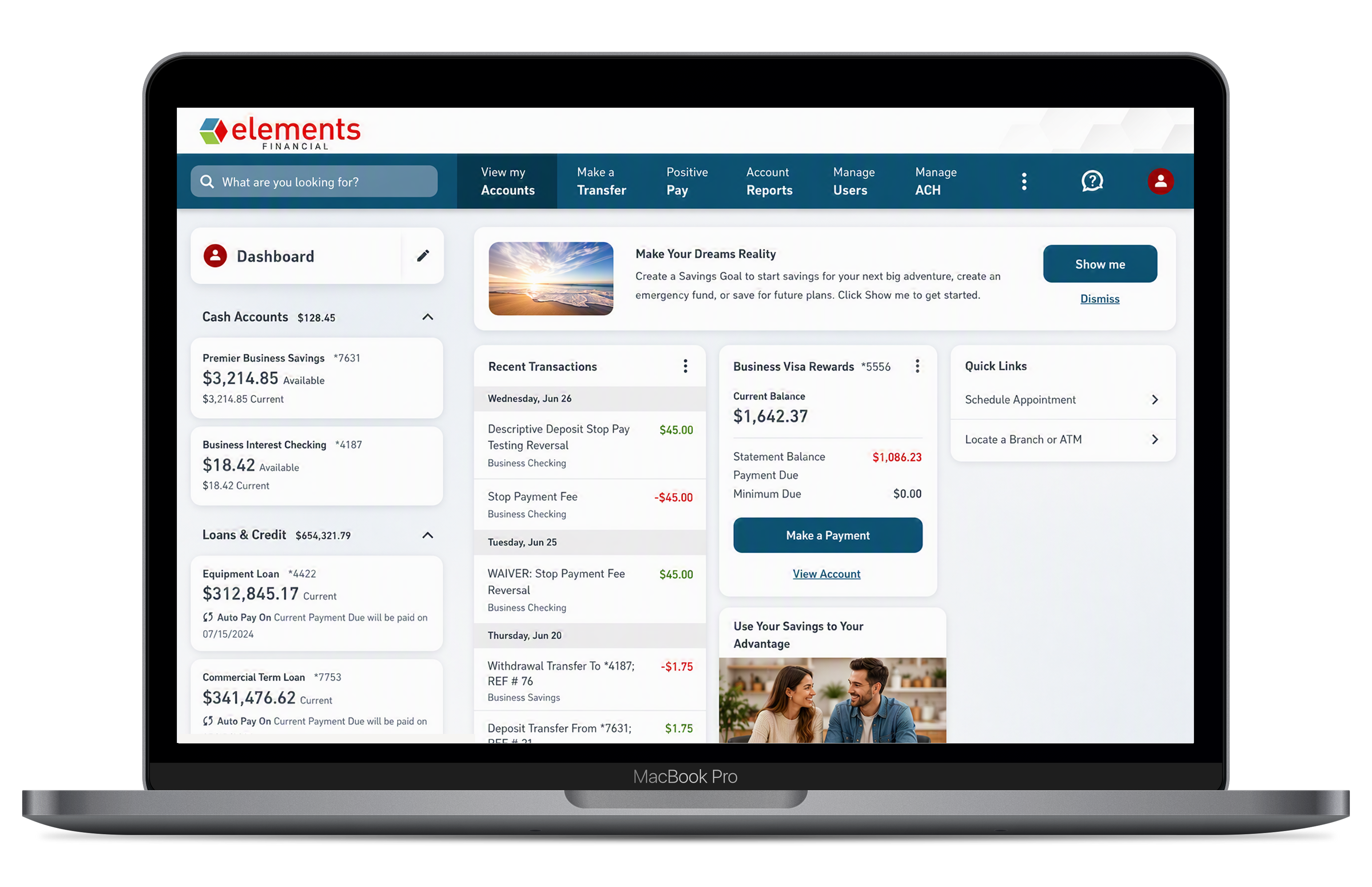
An upgraded Elements Business Digital Banking platform, launching September 9, brings your accounts, payments, and team controls together in one place — giving you the tools to run your finances without slowing down your business.

From ACH origination and wire transfers to fraud protection and integrated loans, every transaction and account is visible in a single dashboard across desktop and mobile. Set granular user permissions for your team, monitor activity in real time, and catch suspicious transactions before they clear.

Built for the way businesses actually operate, Business Digital Banking is designed to keep you in control — wherever the day takes you.

Manage Money

  • Full Account Visibility — View balances, transaction history, and statements for all your business accounts in one dashboard. 
  • ACH Payments — Originate ACH transactions, manage returns, and stay on top of notifications of change from a centralized hub. — Learn More
  • Wire Transfers — Send domestic wires instantly or schedule them in advance using reusable templates. — Learn More
  • Integrated Loans and Credit Cards — View balances, make payments, and track activity for all your business credit products alongside your deposit accounts. 

Manage Your Team

  • Flexible User Access — Add employees and assign exactly the permissions they need — no more, no less. — Learn More
  • Mobile-First Design — Access all features on desktop or the Elements Mobile App — including biometric login and push notifications. 

Stay Protected

  • Fraud Protection — Positive Pay helps you catch unauthorized checks and ACH transactions before they clear. — Learn More

How do I sign in for the first time after the upgrade?

Your existing Elements Business Digital Banking username and password will work. On your first login to the updated platform, you'll complete a one-time identity verification. A password change is required, but you can use the same password as before if it meets the new requirements.

If you haven't already enrolled in Elements online banking, you can easily register for Elements Business Banking.

What happened to the old business online banking platform?

Elements has upgraded to a new Business Digital Banking platform with enhanced tools for business members.

All your existing accounts and payees transfer automatically. Some features, like your sub-user permission settings, will need to be reconfigured (see Business User Management for details).

Is there a mobile app for business members?

Yes. Download or update the Elements Mobile App on iPhone or Android to access all Business Digital Banking features, including ACH, wire transfers, user management, and fraud solutions, from your mobile device.