




Plan Ahead: September 8–9 — Online and mobile banking move to view-only for a short window as we finish our Digital Banking upgrade. Learn More

Card Management

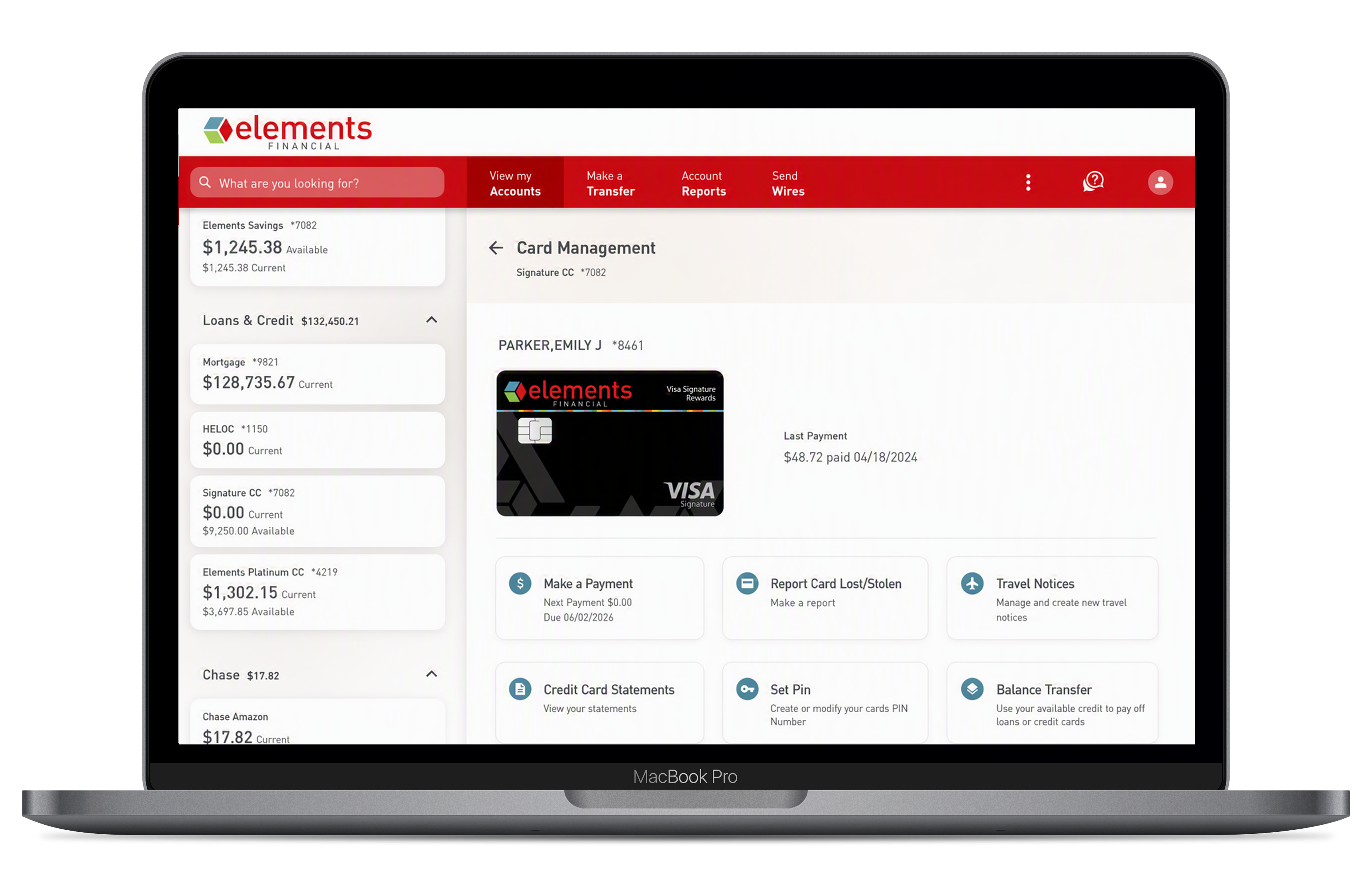
Control your cards instantly — from desktop or mobile, no extra app needed.

Card Management

Your card controls are now fully built into Elements Digital Banking.

Card Management is now built directly into Elements Digital Banking — on both desktop and mobile. Freeze a card, report it lost, order a replacement, manage your PIN, and more — all in one place. 

If you previously used the Card Control by Elements app, please delete it from your device after the upgrade to prevent duplicate alerts. You'll need to re-register your cards and recreate any saved alerts or controls in the new platform.

Key Features

  • Instant Card Controls — Turn your credit and debit cards on or off instantly, available on desktop and mobile
  • Activity Controls — Set controls and alerts by location, merchant type, transaction type, and spending limit
  • Lost or Stolen Cards — Report a lost or stolen card directly within Digital Banking
  • PIN Management — Manage your card PIN securely within your account
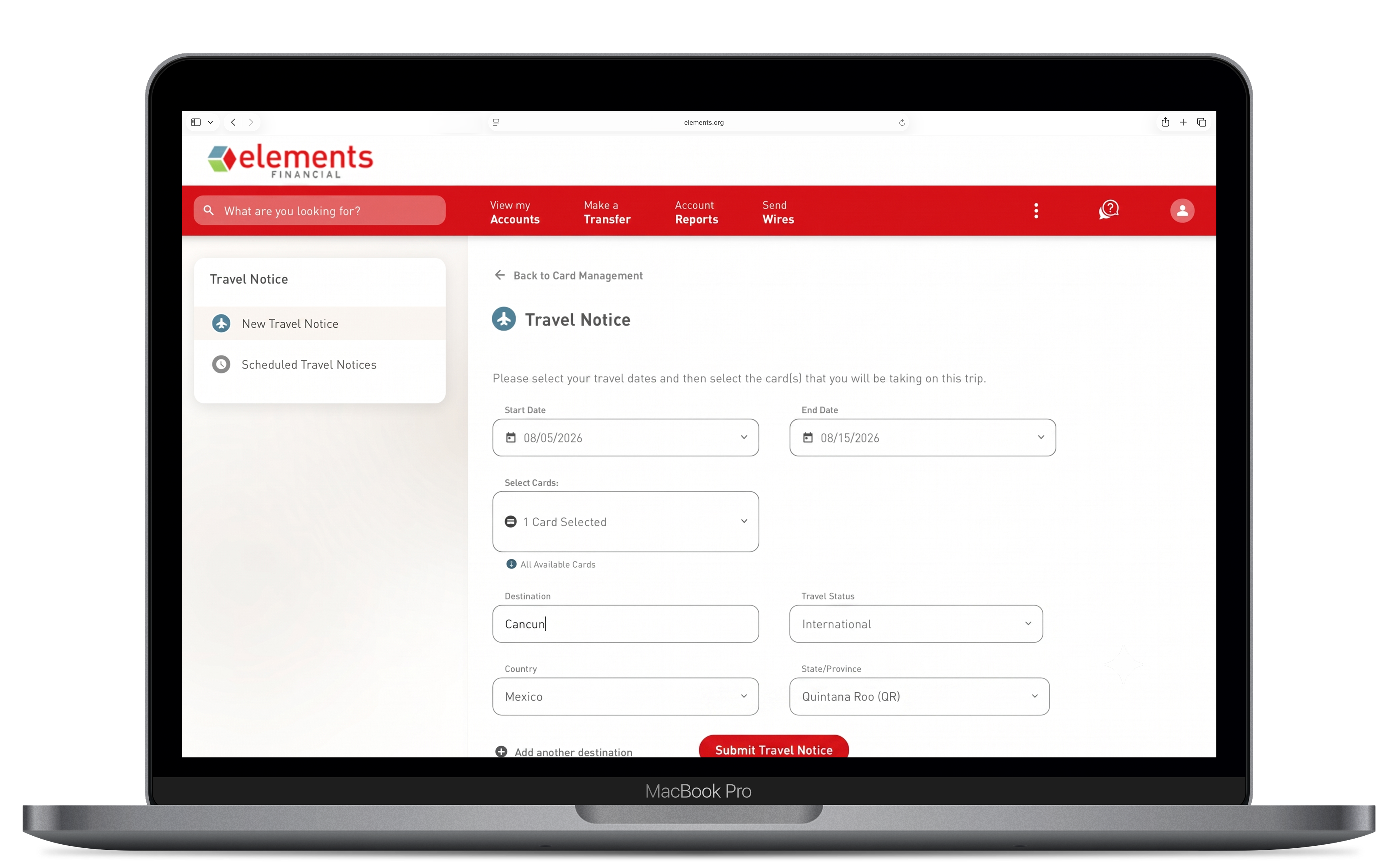
  • Travel Notices — Submit a travel notice before you leave so your card works wherever you go

Is the Card Control app still available?

No. When the upgraded Digital Banking launches in September, the standalone "Card Control by Elements" companion app will be retired.

All of its features — plus new ones — are now built directly into Elements Digital Banking on both desktop and the mobile app. After the upgrade, please delete the Card Control app from your device to avoid receiving duplicate alert notifications.

Do I need to do anything to start using the new Card Management features?

Yes — after the upgrade in September, you'll need to re-register your cards and recreate any alerts or controls you had set up in the previous Card Control app. 

Registered users and settings from the companion app will not carry over to the new platform.

What new features are available in Card Management that weren't in the old Card Control app?

In addition to the card on/off controls you're familiar with, the integrated Card Management experience includes:

  • Report Card Lost — directly within Digital Banking, no phone call required
  • PIN Management — update your card PIN securely within Digital Banking
  • Add to Wallet — add your card to Apple Wallet or Google Wallet without entering card details manually
  • Travel Notices — submit travel notices directly from within Digital Banking before you travel
  • Desktop Access — Card Management features are now available on desktop in addition to the mobile app

How do I access Card Management in the new platform?

Log in to Elements Digital Banking and navigate to your card account. Card Management options will be available directly from your card account tile on both desktop and the mobile app. 

Can I still set alerts if a transaction occurs in an unexpected location or at a specific merchant type?

Yes. All location-based, merchant-type, transaction-type, and spending-limit alerts are still available within the integrated Card Management experience in the upgraded Elements Digital Banking.