
Plan Ahead: September 8–9 — Online and mobile banking move to view-only for a short window as we finish our Digital Banking upgrade. Learn More

Savings Goals

Set a target. Name your goal. Watch your savings grow.

Savings Goals

Your financial goals, visualized and tracked — right in your account.

Whether you're saving for a vacation, a new car, a down payment on a home, or an emergency fund, Savings Goals in our updated Digital Banking make it easy to create and track your progress.

Set a target amount, name your goal, and watch your savings build toward it in real time. 

Saving Goals Key Features

  • Multiple Savings Goals — Create multiple savings goals for different financial priorities

  • Custom Goal Names & Targets — Name each goal and set a target amount

  • Real-Time Progress Tracking — Track your progress in real time within Digital Banking

How do I create a Savings Goal?

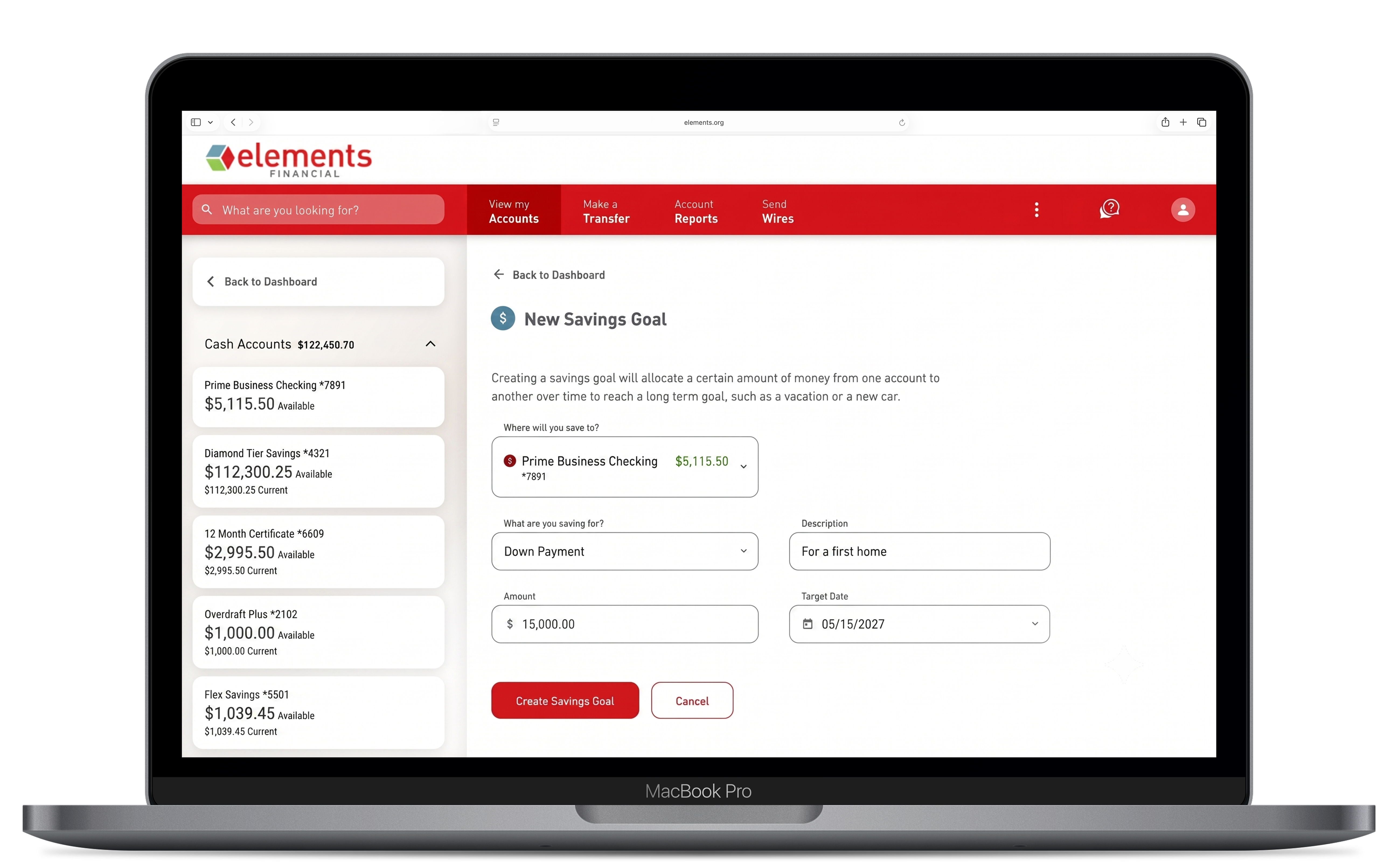
After the upgrade in September, simply log in to Elements Digital Banking and navigate to Savings Goals within the app or on your Digital Banking homescreen.

Give your goal a name, enter your target amount, and select the Elements savings account you'd like to track progress in. Your goal will be created and begin tracking automatically. 

Can I have more than one Savings Goal at the same time?

Yes. After the upgrade, you can create and manage multiple Savings Goals simultaneously — perfect for tracking different financial priorities at once, such as an emergency fund and a vacation budget.