
As part of our upcoming Digital Banking upgrade launching September 9, managing your credit cards is about to get a lot easier — everything you need lives right on your Dashboard.
See and Manage Every Card from Your Dashboard
Toggle Between Cards, Right From Your Dashboard
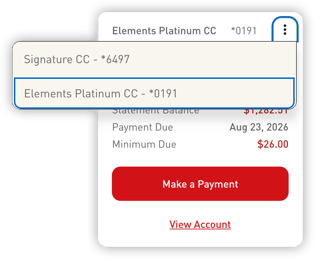 If you have more than one Elements credit card, tap the icon in the corner of your card tile to switch between them instantly — no need to open a separate account or app to see a different card's details.
See What You Owe at a Glance
Each card tile shows your Statement Balance, Payment Due date, and Minimum Due right up front, so you always know where you stand without digging for a statement.
Pay in a Tap
Make a payment directly from the tile using the Make a Payment button, or select View Account to view the full transaction history and account details.
Everything in One Place: Card Management
Select View Account (or Card Management), and you'll land on a single screen built around your card — your card art, your last payment, and an instant lock/unlock toggle right at the top, so you can freeze a card in one tap the moment something looks off.
Below that, every card tool you need is laid out in one place — on both desktop online banking and the mobile app:
- Make a Payment — see your next payment amount and due date front and center, with a due-soon reminder when it's coming up
- Advanced Card Controls — manage your card's settings, including instant lock/unlock
- Advanced Card Alerts — choose how and when you're notified about card activity. Note: any account alerts related to your credit card may need to be re-established after the upgrade.
- Report Card Lost/Stolen — file a report in a couple of taps
- Travel Notices — manage or create new travel notices before you go
- Credit Card Statements — view your statements without hunting for a separate portal
- Set PIN — create or modify your card's PIN
- Balance Transfer — use your available credit to pay off loans or credit cards elsewhere
- Automatic Payments — set up and manage recurring credit card payments
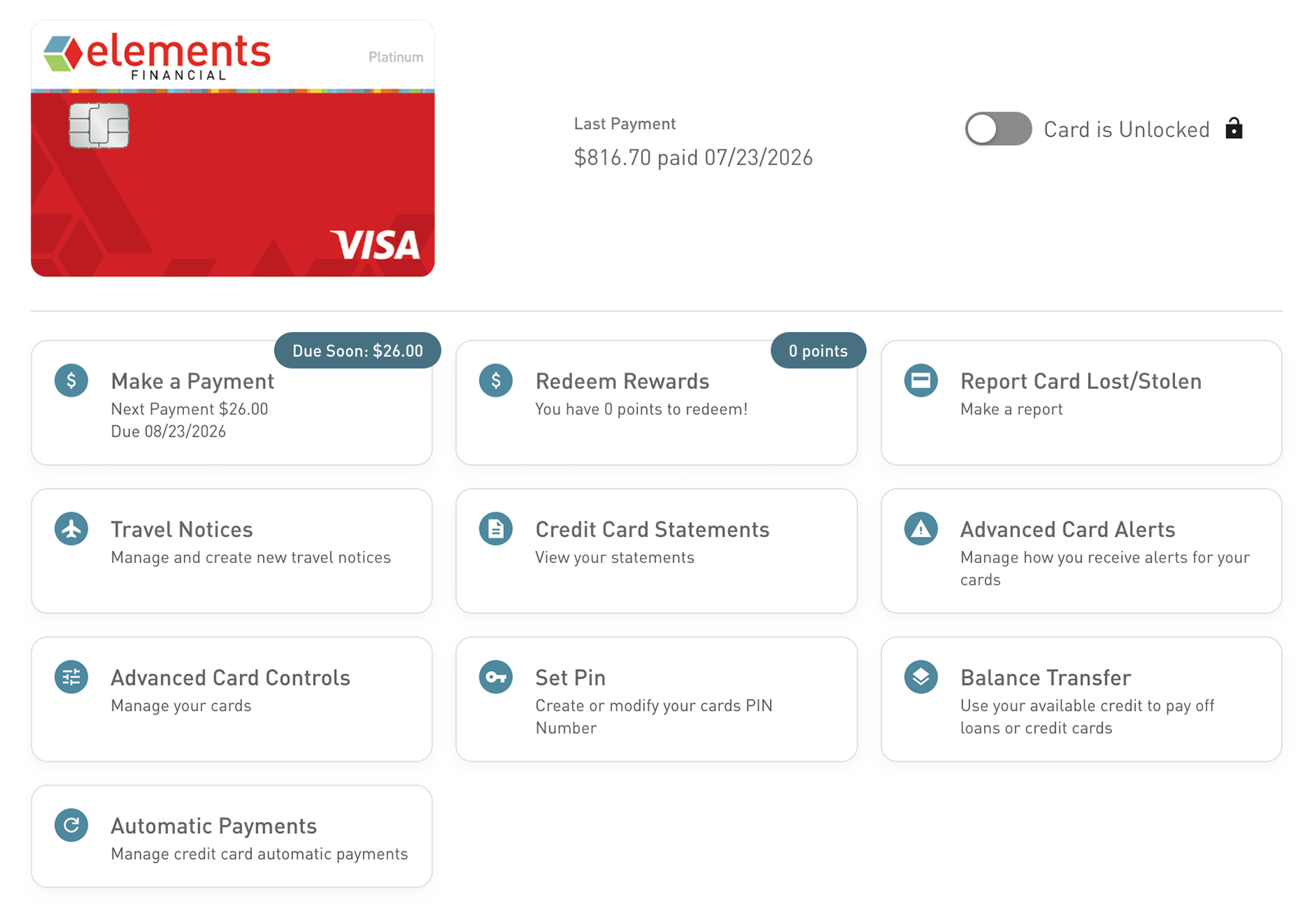
It's everything you used to have to look up separately — statements, travel notices, lost-card reporting, alerts, autopay — now in one convenient spot.
A Note on the Card Control App
Since these controls now live directly in Digital Banking, the standalone Card Control by Elements app will be retired after September 9.
Registered users and settings from that app will not carry over, so you'll want to re-register your cards and recreate any alerts or controls in Digital Banking after the upgrade — and delete the old app from your device to avoid duplicate notifications. Learn More
We’re Here to Help
If you have questions about setting up mobile deposit or want a hand getting started, our team is ready to help:
- Live Chat at elements.org
- Email: customerservice@elements.org
- 24-Hour Contact Center: 317-276-2105 or 800-621-2105
Stay up to date with all the upgrades coming to Digital Banking in September.